Browserbase Alternatives for 2026: The Best Tools for Browser Automation at Scale

If you’ve been using Browserbase for headless browser automation, you’ve probably run into the boundary between what it’s built for and what your automation actually needs. Browserbase gives developers low-level control over remote browser sessions, useful for scraping, testing, and basic automation. It wasn’t built for authenticating into real user accounts, evading antibot systems at scale, or extracting structured data from systems without APIs. As enterprise automation demands grow in 2026, teams are searching for platforms that go further.
This guide covers the best Browserbase alternatives, with an honest look at where each tool excels and where Deck stands apart as the most complete solution for production-grade agent infrastructure. For related reading, see our guides to Anchor Browser alternatives and how to connect software without APIs.
Why Teams Are Looking for Browserbase Alternatives
Browserbase is a capable infra layer for headless browsers. It provides managed Chromium instances that work with Playwright, Puppeteer, and Selenium, and many teams use it to spin up a browser instance, which is genuinely valuable. It’s fundamentally a browser-as-a-service platform: it gives you a browser and leaves the rest of the stack to you. That means:
No credential vault. Browserbase doesn’t store, encrypt, or manage credentials on your behalf. You’re responsible for securely passing authentication data into sessions, handling MFA, managing session state, and rotating credentials when they expire. Their documentation acknowledges MFA only through manual “contexts”; there’s no automated vault. At scale, that’s meaningful engineering work your team has to own.
Limited structured output. Browserbase returns raw browser interactions, often at the page level, and turning that into structured data adds real complexity. Building reliable data pipelines on top of raw browser automation requires significant custom work.
No workflow orchestration. There’s no native concept of chaining tasks, scheduling runs, handling retries intelligently, or streaming results to downstream systems, so while Browserbase can automate steps, it doesn’t help agents complete tasks end to end. You’re building those layers yourself.
For developers building simple scrapers or test infrastructure, Browserbase works well. For companies automating authenticated enterprise applications (payroll providers, ERP systems, insurance portals, healthcare platforms), it starts to require a lot of custom infrastructure around it.
When Browserbase Is Still the Right Choice
Browserbase makes sense if you:
- Need low-level Playwright/Puppeteer/Selenium control over remote browsers and want dedicated servers you manage around them
- Are building your own platform on top of managed browsers and want to own the surrounding infrastructure yourself, rather than adopt a higher-level agent platform
- Are on their Scale Plan and Verified mode covers your target sites
- Don’t need credential management, structured output, or workflow orchestration
If any of those conditions don’t apply, especially if you’re automating authenticated enterprise applications, Deck or Anchor Browser will get you further.
What to Look for in a Browserbase Alternative for Browser Automation
Credential vault: Can the platform securely store and inject credentials without exposing them to your backend? Does it handle MFA and CAPTCHA natively across any source?
Source agnosticism: Can the platform operate any web application, including legacy systems, without requiring you to build custom adapters per source, helping agents access and navigate websites beyond API-first systems?
Antibot handling: Does the platform handle bot detection across a broad range of protection systems — not just its partner network — without you managing it per source?
Structured output: Does every task return schema-validated, deterministic JSON — or are you parsing raw HTML and screenshots yourself?
Workflow infrastructure: Can you schedule tasks, chain workflows, handle retries, and stream results to webhooks or queues natively?
Observability: Can you watch agents run in real-time, replay sessions, monitor browser sessions, and debug failures without building your own logging layer? Can it also monitor headless browsers at scale?
The Best Browserbase Alternatives in 2026
1. Deck — Best Overall Alternative
Deck is purpose-built for what Browserbase falls short of: production infrastructure for computer use agents, AI agents, and browser agents that authenticate as real users, operate any software, and return structured results at scale. For a deeper look at auth-first browser infra, compare with Anchor Browser alternatives.
Complete credential management. Deck Vault stores credentials with AES-256 encryption, scoped per agent session. Credentials are never returned to your backend. Deck handles login flows, MFA challenges, and CAPTCHA solving the way a human would. You don’t write authentication logic; you just point agents at sources.
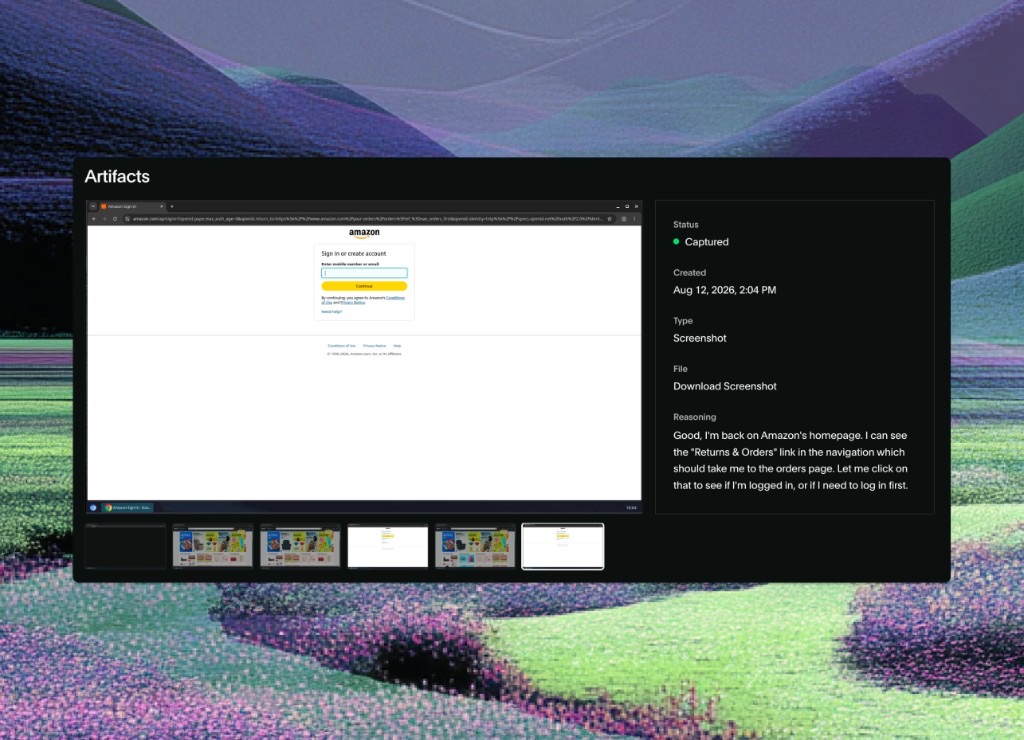
True source agnosticism. Where Browserbase gives you the browser and leaves the per-application logic to you, Deck operates any software a human can use, including web apps, desktop software, and legacy portals, so agents can interact with websites the way humans do, without you building custom adapters. Teams have used Deck to automate Gusto, ADP, ServiceNow, Docusign, and hundreds of other enterprise systems without writing source-specific code.
Built-in antibot evasion. Deck handles fingerprinting, proxy rotation, and evasion at the infrastructure level, across any target, not just a partner network. Your team doesn’t maintain detection patches or worry about protection systems that fall outside a vendor’s agreements.
Deterministic structured output. Every Deck task returns schema-validated JSON. You define the output schema; Deck guarantees the format regardless of what the source application looks like. If a source already exposes a fetch API or search API, you can use that instead; otherwise Deck works through the browser. No parsing, no brittle selectors.
Full workflow infrastructure. Tasks run on-demand, on schedule, or event-triggered. Results stream to webhooks, SQS, Pub/Sub, or custom destinations. Workflows chain automatically. Retry logic is built in.
Production observability. Live session monitoring lets you watch agents operate in real-time. Session replay gives you timestamped screenshots, reasoning traces, and logs for every run. You can connect a model to a live browser session, or intervene manually, whenever a run needs a human in the loop.
Deck is SOC 2 Type II certified, GDPR compliant, and HIPAA ready, which matters for teams operating in finance, healthcare, and HR automation.
Who Deck is best for: Engineering teams shipping agents or teams running agents in production against authenticated enterprise applications (payroll, benefits, insurance, HR systems, ERP) where reliability, security, and structured output are non-negotiable.
2. Anchor Browser — Best for Deterministic Auth-First Automation
Anchor Browser is a cloud browser infrastructure platform; the main difference from Browserbase is its focus on deterministic automation with deep authentication handling rather than AI computer use, which it explicitly positions as unreliable and expensive. Anchor raised a $6M seed round backed by Google’s Gradient AI fund.
Strengths: Enterprise credential vault via their OmniConnect product (powered by 1Password Unified Access), native MFA handling, Cloudflare bypass, CAPTCHA solving, proxy support with “impossible traveler” prevention. Their claim is 24x faster and 80x cheaper than computer use–based approaches for the same tasks.
Limitations: Anchor is browser infrastructure, not a full agent platform — no native workflow orchestration, no internal task queuing, no schema-validated output layer, and infrastructure management is still your responsibility. You build the surrounding application logic. No computer use capability by design (their explicit pitch is deterministic automation, not AI-driven visual navigation).
Best for: Teams that need enterprise-grade browser automation and auth handling and are building their own application on top, where deterministic speed and cost matter more than AI flexibility.
3. Skyvern — Best Open-Source Agent Automation
Skyvern uses LLMs and computer vision to drive browser use for automation without brittle selectors. Its open-source version (AGPL-3.0) is free and self-hosted; Skyvern Cloud is the managed offering.
Strengths: Free to self-host, capable LLM-driven navigation, handles dynamic UIs better than traditional automation, can build agents that navigate websites and match interface elements on changing sites, Skyvern Cloud includes antibot evasion (proxy network, CAPTCHA solvers), JSON schema output validation.
Limitations: OSS version has no antibot evasion (explicitly excluded). Self-hosting requires managing LLM costs and browser infrastructure. Non-deterministic output in production. Skyvern Cloud’s observability is limited compared to Deck.
Best for: Teams prototyping AI-driven browser automation who want zero cost, value an open-source community, and are willing to manage the operational overhead.
Deck vs. Browserbase: A Direct Comparison
| Capability | Browserbase | Deck |
|---|---|---|
| Managed browser sessions | ||
| Credential vault | ||
| MFA & CAPTCHA handling | Partial (manual contexts) | |
| Source-agnostic operation | ||
| Antibot / bot protection | Verified (Scale Plan only) | |
| Structured JSON output | ||
| Workflow orchestration | ||
| Scheduling & triggers | ||
| Session replay & observability | Limited | |
| SOC 2 Type II |
Browserbase and Deck solve different layers of the same problem: Browserbase gets you the browser, Deck adds the authentication, structured output, and orchestration layer around it.
FAQ
What is Browserbase used for?
Browserbase provides managed Chromium browser sessions for web automation, scraping, and testing via Playwright, Puppeteer, and Selenium. It’s primarily developer infrastructure — you write the automation logic; Browserbase provides the browser.
Does Browserbase have stealth mode or antibot evasion?
Browserbase offers “Verified” mode, a partnership-based approach where browsers are recognized as legitimate by protection systems like Cloudflare, rather than evading detection. It’s not the same as residential proxies or broader evasion infrastructure. This is only available on their Scale Plan. CAPTCHA solving is included and automatic. Custom CAPTCHAs require manual configuration.
Can Browserbase handle login flows and MFA?
Browserbase doesn’t include a native credential vault or automated MFA handling. Their documentation references “Manual MFA with contexts” as a template approach — you implement the authentication logic yourself.
What should I know about Browserbase before using it for enterprise automation?
The lack of a credential vault and schema-validated structured output are the most significant gaps for enterprise use cases. Building secure, scalable authentication handling and reliable data pipelines on top of raw browser sessions requires substantial custom engineering.
What is Stagehand and how does it relate to Browserbase?
Stagehand is an open-source (MIT) AI browser automation framework built by the Browserbase team. It adds LLM-driven capabilities on top of Playwright, sitting higher in the stack than raw browser infrastructure, with act(), extract(), observe(), and agent() primitives. It works locally or optionally integrates with Browserbase for cloud deployment, and it’s free to use independently of Browserbase.
Is Deck a drop-in replacement for Browserbase?
Deck operates at a higher abstraction level — it’s an agent platform rather than a raw browser API. Teams migrating from Browserbase typically eliminate significant custom infrastructure code in favor of Deck’s built-in capabilities for auth, structured output, and orchestration.
Does Deck support parallel agent execution?
Yes. Deck provisions isolated sandbox sessions in seconds and can scale to thousands of parallel agents, supporting multiple credentials, sources, and timezones simultaneously.
How does Anchor Browser differ from Browserbase?
Anchor Browser focuses on enterprise-grade authentication and deterministic automation, explicitly positioning against AI computer use approaches. Its OmniConnect product integrates 1Password Unified Access for credential management. Browserbase is more developer-focused infrastructure with broader framework compatibility.
Conclusion
Deck brings credential management, structured output, and orchestration together in a single platform built for this use case. If your automation needs to reliably log into real accounts, extract structured data, and run at scale without a team of engineers maintaining the plumbing, Deck is the most complete alternative available.
Ready to see it in action?