What would you like to automate?
 Amazon
 Workday
 Pacific Gas & Electric
 Lightspeed
 Gusto
Gusto
 Notion
 Duke Energy
 Aetna
Aetna
 Meta
Meta
 MyHSA
100,000+ others
Amazon
Workday
Pacific Gas & Electric
Lightspeed
Gusto
Notion
Duke Energy
Aetna
Meta
MyHSA
100,000+ others
MyHSA
100,000+ others
Amazon
Workday
Pacific Gas & Electric
Lightspeed
Gusto
Notion
Duke Energy
Aetna
Meta
MyHSA
100,000+ others
Authenticate. Operate. Extract.





Your users connect once
End users link their accounts through Deck. Credentials are encrypted in Deck Vault. Sessions persist. MFA is handled automatically. Your application never touches a password.
Agents operate any software
Computer use agents navigate real interfaces — web apps, desktop software, legacy systems. They see what a human sees, reason about what's on screen, and take action. No selectors. No scripts. No APIs on the other end.
You get structured results
Every task returns structured output and schema-validated JSON. Define the output shape and Deck delivers it consistently, regardless of how the source renders its data. Documents and files can be captured alongside.
One agent or thousands.
Deck provisions isolated sessions on demand. Run agents in parallel across every user, every source, every time zone. No infrastructure to manage.
Design and run agents in minutes
The Deck Console is where you build, observe, and manage your agents. Prompt to create agents and tasks. Watch sessions live. Replay any step by step.
Explore the product →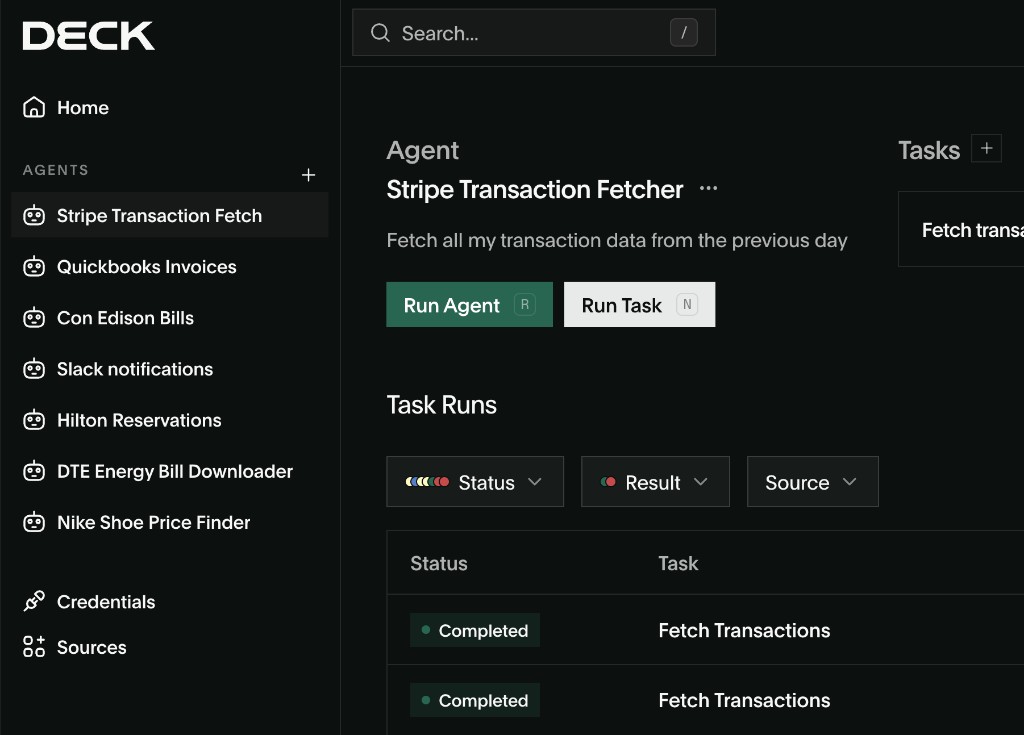
Embed computer use in your product
The Deck API lets you programmatically create agents, manage connections, execute tasks, and receive structured results.
Explore the API →Built for Production. Not Just Demos.
Enterprise-grade reliability with self-healing agents, encrypted credential vaults, and multi-model failover.
Authentication That Works
Deck handles MFA, SSO, and 2FA natively. Credentials stored in an encrypted vault with automatic rotation. Agents don't fail at login screens.
Self-Healing Agents
5 levels of autonomous error recovery. When something breaks, agents retry intelligently — only escalating to humans when they truly can't resolve it.
Fleet Management at Scale
One agent or one thousand — Deck provisions on demand. Persistent scheduling, parallel execution, and shared skill memory across your agent fleet.
Full Visibility Into Every Agent Action
Watch agents work in real time, replay any session step-by-step, and maintain a complete audit trail for compliance and debugging.
Frequently Asked Questions
Yes. Deck manages the full auth flow — OAuth, session-based login, MFA — for any site.
Deck runs a full browser agent. JS rendering, dynamic content, infinite scroll — all handled.
Deck exposes a standard API endpoint. Call it from your codebase like any other data source.
No. Deck handles all the infrastructure. You write the request, Deck handles execution.
Deck detects layout changes and self-heals. You don't get paged. Your pipeline keeps running.